SiteGround’s Icky Approach to AI in WordPress 7.0

So I have a few sites with SiteGround. They’re largely sites that don’t get a huge amount of traffic (with the exception of All Rumble Stats, which gets 20k a month). Hosting is a bit like your bank account or your broadband provider: they are there and as long as you don’t do much to annoy them, then you stick with them. Friction of moving is painful, so you want to avoid it. Nevertheless, they were a pretty good host a while back that didn’t seem to do anything egregious compared to other hosts, plus I’ve been to their EU offices, so I have recommended them in the past.

There have been a few things that have occurred in the past few years that is has me questioning continuing hosting with them. One was their speed optimiser plugin (which I think were great) deleted all WebP images, even those that the plugin didn’t create, and their support which is an AI Slopstacle Course at the moment.

Last week though I think means I’ll be moving off their servers when I renew.

WordPress 7.0 and the AI Connector Module

WordPress 7.0 came out recently, and as part of that introduced the AI Connector module, which whilst does nothing off the bat, allows you to store your chosen planet boiler key of choice within WordPress, allowing other plugins to use it for their means. It means you don’t have to add your API key to all plugins, instead just doing it once within the WordPress backend. Convenient.

I’m not a huge fan of it for a number of reasons. Firstly, as raised by Oliver Sild over on Twitter (sorry) every WordPress site could have an API key embedded in it, allowing hackers access to API tokens to do nefarious things. It feels like at the very least there’s a massive target on every that is built on WordPress’ back.

SiteGround crystalised the other reason. In that hosts will set this feature up for you, even if you don’t want them to.

I got an email a few weeks back. I’ve copied it verbatim below:-

Hi Rhys,

One of the most significant WordPress releases in years is coming, anticipated on May 20, 2026. This new version will provide a standardized way to connect your WordPress site to AI providers providers (learn more), making it possible to integrate a whole new range of AI capabilities for managing and editing your website. Once it rolls out we’ll update your WordPress site automatically. On top of that, we’ll connect it with SiteGround AI Studio so that you can start using AI capabilities right out of the box.

Sites to be automatically updated to WordPress 7.0

As always, we’ll automatically update all WordPress installations on our platform to 7.0 based on your WordPress autoupdate settings. By default, we apply major updates with 24 hour’s notice, so no action is needed on your end. The update itself is just the beginning. We’ve also taken several steps to make sure that you can take advantage of the new AI capabilities without any additional configuration.

AI Studio with 20,000 free tokens to be enabled as your default AI connector

When WordPress 7.0 lands, the standard process to start using AI capabilities will involve a few steps. First, connecting an AI provider of choice by installing a connector and providing an API key. Second, then installing the native WordPress AI plugin so AI capabilities appear in the WordPress core.

SiteGround customers, however, skip all of that entirely. With the new WordPress version, you’ll get SiteGround AI Studio activated as your default AI connector, plus our powerful AI WordPress Agent enabled automatically. This allows you to immediately use AI power for managing your WordPress. No API keys, manual connections, or extra plugins needed. You’re ready to use AI-powered features right away, backed by 20,000 free tokens available to you every month through AI Studio.

Powerful AI Agent for WordPress management to be activated

As part of the WordPress 7.0 update, SiteGround’s AI Agent will appear directly in your WordPress admin ready to help with all sorts of tasks. The moment WordPress 7.0 is live on your site, you’ll have our robust AI chat assistant available directly from your admin dashboard.

SiteGround’s AI Agent capabilities go far beyond the standard image and text generation many other AI plugins provide. It can handle real maintenance tasks: updating site settings and plugins, setting product discounts, editing descriptions, auditing and applying SEO changes, and more, all from a single prompt.

EXPLORE AI AGENT →

Note: Please note that the custom AI Studio connection and the AI Agent activation will not be done as part of the WordPress update for those websites that have a white-label client added to them. If you want, you can activate SiteGround AI agent yourself on such sites.

Also good to know: You can also change your default AI connector or completely disable the AI Studio connector any time you want.

Cheers to the exciting new WordPress version,
The SiteGround Team

I didn’t think much of it, but given it was sent midday on a Friday, I kind of skim read it and ignored it. Sure enough though after WordPress 7.0 launched on the 20th, with sites hosted on SiteGround, this appeared.

Notice it’s location right at the bottom. Often plugins are guilty of fighting for the real estate at the top of the page. This? Already activated and hidden away. In a vain hope you don’t notice it.

Not only it’s activated, but it’s connected to their AI agent.

I’m an experienced user, and kind of go blind to the banners and things that appear in the back end of WordPress, but I wonder how quick I would burn through the 20,000 tokens every month? Would that change? Is this just an approach to get SiteGround users hooked onto an AI chatbot and then reduce the level of service? How much does it cost per month if you go over the 20,000 tokens?

It’s pumped their numbers which looks good for their board. SiteGround AI Studio plugin has over 1+ million active installations when it’s launched late last month, and the graph of the installs look ridiculous. For a plugin to have over a million active installations within a month is unheard of. To put it in perspective – Preload LCP Image has been available for 3 years and has 4000+ active installations. But it has pissed a lot of people off. The reviews are not good. There is damage control in effect, as on most reviews, a poor SiteGround rep is replying, touting the wonders of this plugin and very unpointed speak on taking feedback on board.

I’m not the product here

Thing is, this is not a free service. I pay over £500 every year to SiteGround to host my websites, and many of my clients pay as well. Things like this should be an opt-in service. If this was a free service, I’d grin and bare it – after all you are the product. But it’s not. In short, SiteGround has left and icky taste in a lot of folks mouths. Not everybody will leave, but many might.

But then, this is the modus operandi for the great AI rollout. Switch it on and hope people don’t notice or kick up a fuss. Enough people don’t mind it and a few people use it. Big numbers, 1+ million adoption, board is happy. It just feels icky and deceptive. I do wonder if AI adoption would be bigger overall if it wasn’t forced down our throats, and the benefits to society would be welcomed if they were argued or shown.

But then again, if AI operators have to go down this approach, is there any benefits to be had at all?

Featured in “Cloudflare made a WordPress for AI agents” on The Verge

Leave a comment on Featured in “Cloudflare made a WordPress for AI agents” on The Verge Permalink

So this is interesting, I was on The Verge last week, as part of the wider discussion on EmDash, I posted a blog post on my thoughts on EmDash, which was cited a bit. I should add – there’s some paywalling on The Verge, so if you can’t see it, sorry.

I remember when the story broke on April Fools Day (seriously), and by the morning of the second I saw a lot of takes on LinkedIn that – considering it was my mum’s milestone birthday – were a bit depressing. I took a step away, wrote something the Monday after, publishing on the Tuesday, with very little social media output, lead to actual decent traction, without the walled garden on LinkedIn (I’m this close to sodding it off now). A few days later I was contacted by the writer with a few more questions and clarifications, and boom, mainstream media coverage.

Moral of the story? Write the best stuff on your own blog, folks. WordPress can always help with that 😉.

Thoughts on EmDash – Techbros latest attempt to stop me making mortgage payments

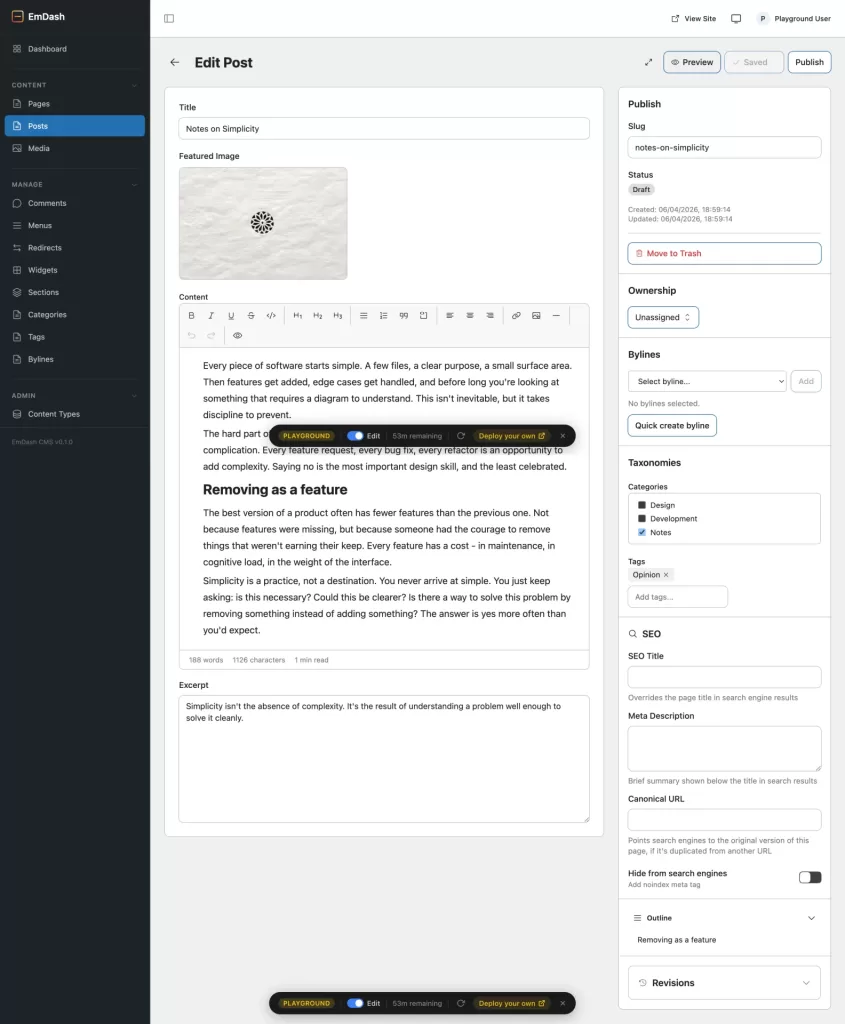
So on April Fools day (and also the day before a long weekend in the UK – thanks for giving me things to think about lads), EmDash was announced as the latest spiritual successor to WordPress and…yeah? It’s a thing. You can try it out here. Sure enough, within 20 minutes people were calling it a WordPress killer. To be fair, the blog had a bit of bravado. After playing around with it over the weekend, I think I know roughly where I stand.

The Things I like with EmDash

It’s nice enough. Has a very familiar interface, the default theme is quite pretty, and you can do some things that should be in WordPress core – simple SEO things that you need a plugin before. To write a post and put it online is quick. There is also custom post types – which are standard and much needed, although from my take I cannot see a way to expand them in the way that ACF does with WordPress.

The State of CMSs in my business

A couple of years ago I had a rough time – clients were leaving usually because their CTO would recommend another CMS, or use some AI vibe coded software that integrated with Vercel or Netlify.

Now? Those clients are coming back.

There are two reasons as to why they’re coming back. The first (and more common) reason is service lock-in caused businesses to haemorrhage money. Two years ago it seemed every client I had was switching to Webflow or exploring to switch. I’ve moved two back this year, and one back last year. Why? Webflow put their prices up, made it confusing, and those people were hit by unexpected bills. Could they move? Could they bollocks. They were locked in. Eventually the cost of a Webflow to WordPress migration was considerably more affordable than keeping the site on Webflow.

The other thing (which actually saw an agency shut down) was the AI approach became fastly unmaintainable. Go and read Ross Wintle’s article on personal apps. Stakeholders want features. Features need to be built. By having an AI approach with little to no oversight, the architecture of the AI driven code became a mess. What started as a system that was deployed quickly is now bloated again.

Both those things seem to be occurring with EmDash. It’s largely driven by one developer, and there does seem to be at least somewhat of a lock in to Cloudflare. Furthermore, I’m concerned that whilst EmDash has an import functions all built in, the export functions don’t exist. Doesn’t exactly scream portable.

Everything’s the next WordPress…until it isn’t

The blog post talks about the security risk – using “plugin security crisis”. I feel it may be a bit overegged to sell the product. As a bit of mafia esque “This is a nice site, I’d hate to see something happen to it”. Sure it takes a bit of time to navigate the WordPress.org repository, but it takes a bit of time to navigate a supermarket. I should point out that although vulnerabilities get discovered, with systems like Patchstack they are usually patched before they become a problem, and if you actually read the patched notes, the “security crisis” often is something that requires a login, or means that a subscriber to a blog can tick a checkbox they shouldn’t. Sure they are needing a fix, but it is using scary words to scare users.

I personally haven’t had a hacked site in about 10 years.

Eventually with these proprietary systems, you’ll hit a limit. Those limits just don’t seem to exist on WordPress. You can build a server to do exactly what you want with the technical know how. Can you do that on Cloudflare? And what happens when Cloudflare goes a bit off the rails? Sure, they’re the techies company du-jour, promoting content creators, but then, so were Google. And look where they are now.

Finally, I don’t think Emdash will succeed where WordPress can because the infrastructure isn’t there. There are few plugins. WordPress’ onboarding, whilst not great, was good enough – the documentation for it was fine to help you dig through things. Documentation like this – for creating EmDash plugins feels incredibly unwieldly and obtuse. Sure it’s something, and EmDash has been publicly available for a week, but it would need to improve.

And this is the thing, folks are touting how quick it is to scale, but not bringing anybody along for the ride. Take this block of text for example:-

Sandboxed Mode

Sandboxed plugins run in isolated V8 isolates on Cloudflare Workers via Dynamic Worker Loader. Each plugin gets its own isolate.

  • Capabilities are enforced. If a plugin declares ["read:content"], it can only call ctx.content.get() and ctx.content.list(). Attempting ctx.content.create() throws a permission error.
  • Network is blocked by default. Direct fetch() calls fail. Plugins must use ctx.http.fetch(), which validates against allowedHosts.
  • Storage is scoped. A plugin can only access its own KV and storage collections.
  • Admin UI uses Block Kit. Sandboxed plugins describe their UI as JSON blocks — no plugin JavaScript runs in the browser. See Block Kit reference.
  • No Portable Text block types. PT blocks require Astro components for site-side rendering (componentsEntry), which are loaded at build time from npm. Sandboxed plugins are installed at runtime and can’t ship components. PT blocks are a native-plugin-only feature.
  • Routes work. Standard plugin routes are available in both trusted and sandboxed modes via the sandbox runner’s invokeRoute() RPC.

Sandboxing is not available on Node.js. All plugins run in trusted mode on non-Cloudflare platforms.

I’ve been coding professionally for nigh on twenty years, and I struggle to understand exactly what’s being said here. Of course, people are saying “use AI Agents/MCP” and therein lies the problem. You baffle people. Nobody is really doing work to educate the lay-folk. It’s a similar problem that existed with Cryptocurrency and NFTs. Using baffling language. And look how those two things worked out?

My Conclusion

Don’t get me wrong, there is a lot wrong with the stewardship of WordPress. I believe Matt Mullenweg is actively harming the product, and I want FAIR to succeed, but I’m not sure that EmDash is a solution. The challenges people have with WordPress – plugin bloat, security issues, and slowness can be fixed with WordPress. This just feels like EmDash is making developers more JavaScript focussed, and lazy, and I feel like it’s is BSing folks with AI. Sure you can build things faster, but are they good, are you learning? Is it maintainable? Will see how it grows in the next two years, but I wouldn’t move any of my clients over to it just yet.

And, when EmDash gets there, thanks to the portability of WordPress, I’ll move over just fine.

On the “This Week in WordPress” (Episode 365)

This week I was on the WP Builds “This Week in WordPress” podcast episode 365. The main focus on my discussion was this blog post by Elliot Richmond which I love about where he publishes his content. It’s something I’ve been thinking a lot of, on where I publish my work.

Also, through it I discovered the Internet Archive Wayback Machine Link Fixer plugin, which pushes your blog posts to the Internet Archive (something I’ve installed on the site now – so it’d be interesting to see how it works). Very cool. And there’s probably dead links all over this blog. Will report back.

As always, it was good to speak with Nathan and Michelle, and good to meet Marc Benzakein too!

Listen to the Episode

Watch the Episode

On the “This Week in WordPress” (Episode 355)

Yesterday I was on the WP Builds “This Week in WordPress” podcast episode 355. It was my second time on This Week in WordPress and I showed off a couple of projects I found (the Kagi smallweb browser and the Kagi bloopers page), as well as talk extensively about the FFmpeg to Google article I covered on this blog previously.

Away from things I discussed I also discussed the upcoming WordPress 6.9 release, building WordPress blocks with AI (and the security implications that provides) and changes to the Plugin ecosystem.

Thanks to Nathan and Michelle Frechette for having me on!

Listen to the Episode

Watch the Episode